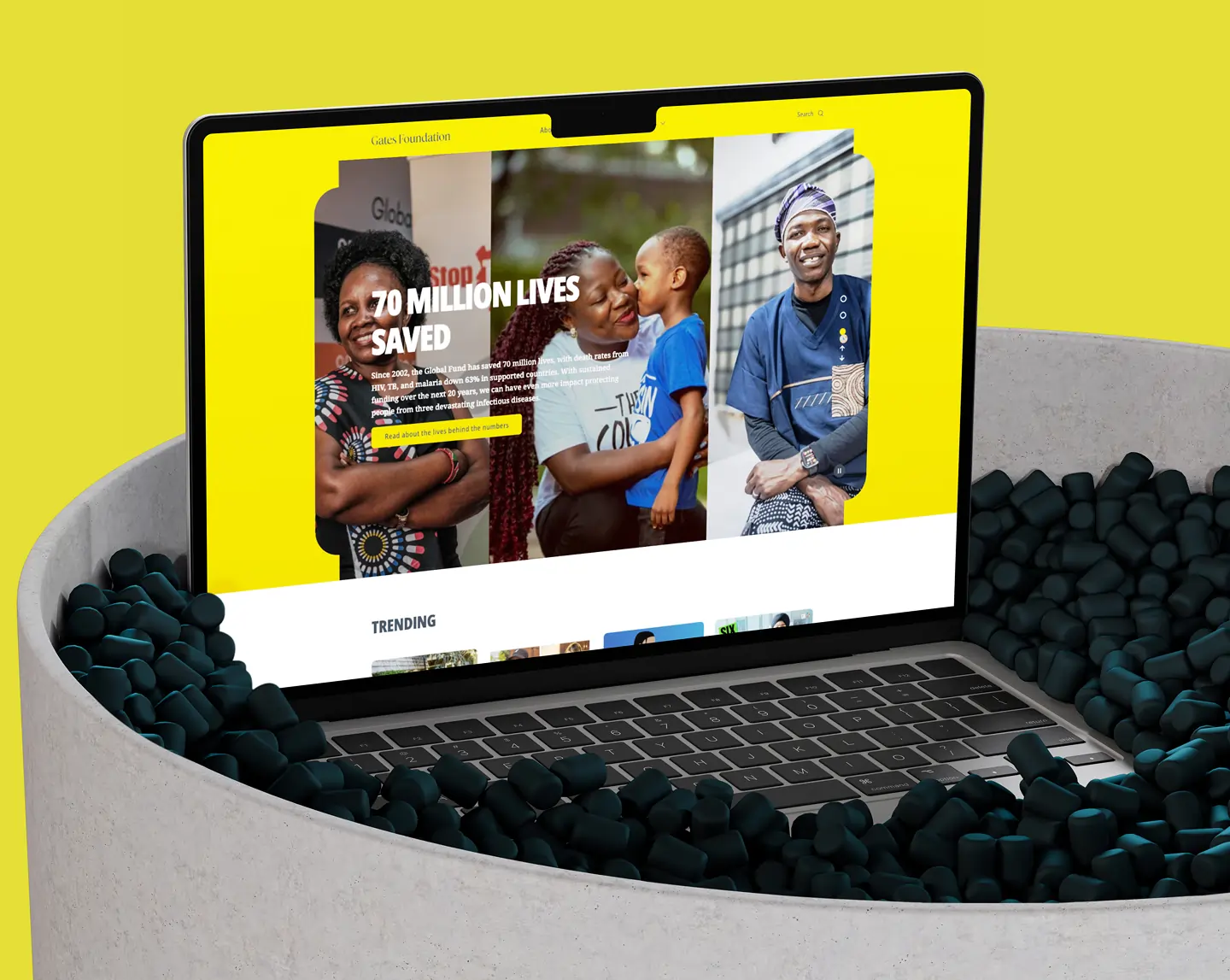
Gates Foundation
Turning billions of data points into decisions that matter.
Data abundant. Insight scarce.
The Bill & Melinda Gates Foundation operates at a scale few organisations can match, spanning global health, education, poverty alleviation, and agricultural innovation across continents. Their programs generate thousands of datasets collected from partner organisations, research teams, and field operations. Every metric is carefully captured. Every dataset is meticulously maintained.
The problem wasn't the data. It was what happened to it afterwards. Presented through dense spreadsheets, disconnected dashboards, and static presentations, the data made it nearly impossible to extract meaning quickly, particularly for program directors making decisions across multiple regions simultaneously.
“The foundation recognized that meaningful design could be the bridge between raw data and real-world impact. Clarity was not an aesthetic goal, it was a strategic one.”
Project brief, Gates FoundationIndependent designer, visualization strategy to delivery.
Brought in as an independent designer, the remit covered the full visualization and dashboard design initiative, from understanding decision workflows through to chart selection, hierarchy design, and handoff to the foundation's internal data engineering team.
Four data problems, none of them technically about data.
The Gates Foundation's challenge was not a data quality problem. The data was excellent. It was a data communication problem, and communication failures at this scale translate directly into slower decisions, misallocated resources, and missed opportunities for impact.
Cognitive Overload
Fragmented Data Sources
Lack of Visual Hierarchy
Misaligned Chart Selection
Chart selection starts with categorising the data first.
The first step wasn't opening Figma, it was interviewing program directors to understand how they made decisions and what questions they needed answered in real time. Their answers revealed clear patterns: regional comparisons, funding utilisation, outcome correlations, and implementation bottlenecks. Each pattern mapped to a data type, and each data type to a visual form.
Three layers of detail. One navigable system.
The dashboards were structured around three levels of interaction, each designed for a different decision-making context. Directors needed to move fluidly between macro portfolio views and micro country-level details without changing tools, tabs, or mental models.
Executive Overview
Program-Level Analysis
Regional Insights
Four rules that governed every element on every screen.
These weren't aesthetic guidelines. They were functional constraints, each one traceable to a specific failure mode observed in the existing dashboards and designed to eliminate it.
The Five-Second Rule
Every dashboard view designed to communicate its most critical insight within five seconds. Primary KPIs at top-left, the quadrant the eye naturally lands on first.
Data-Ink Ratio Optimisation
Inspired by Tufte, every gridline, border, and decorative element that didn't serve an analytical purpose was removed. The visual system earned its complexity.
Layout Architecture
Critical KPIs top-left, comparative charts top-right, detail tables below. Consistent white space prevented crowding. Users navigated by instinct, not by reading.
Strategic Colour Use
Minimal palette optimised for data differentiation, not aesthetics. Shape, density, and typography carried hierarchy alongside colour. Red reserved strictly for alert states.
Four program areas. Four purpose-built solutions.
Each module was designed around the specific analytical questions its program area needed to answer. The chart types differ because the data structures and decision contexts differ, but the visual grammar, spacing, and hierarchy principles remain consistent throughout.
Health Impact Dashboards
Progressive line charts tracking vaccination rates and healthcare access over time, with geographic overlays providing simultaneous spatial context. Demographic and regional filters for specific population cohorts.
Education Outcomes Visualisation
Multi-metric panels combining line and bar charts for literacy improvements, enrollment rates, and teacher-to-student ratios. Interactive correlation filters to test funding-to-outcome relationships directly.
Agriculture & Livelihood Modules
Bubble maps combining data density and performance indicators into a single spatial view. Hover states revealing live data points, intuitive for non-technical program managers.
Funding Utilisation & Budget Tracking
Sankey diagrams representing the complete fund flow, from donors through programs to beneficiaries. Increased transparency, improved stakeholder trust, and made donor reporting a visual conversation.
Health Impact Dashboard
Progressive line charts tracking vaccination rates over time, with geographic choropleth overlays providing simultaneous spatial context. Demographic and regional filters let program directors slice any population cohort in seconds.
Designed for everyone, analysts and non-analysts alike.
The biggest failure of the previous system wasn't data coverage, it was that only data analysts could actually use the dashboards effectively. Accessibility work here was about expanding who could engage with the data.
Colorblind-Safe Palettes
All charts used distinguishable colours with pattern overlays as alternatives. No information encoded in colour alone, shape, density, and position were always secondary carriers.
Tooltips & Labels for All Data Points
Every data point had a tooltip providing exact values and contextual labels. Charts never required users to estimate, the precise value was always one hover away.
Keyboard Navigation
All dashboard interactions, chart selection, filter application, drill-down navigation, fully keyboard-navigable, meeting WCAG 2.1 AA compliance standards.
Mobile-Friendly Layouts
Responsive layouts adapted across desktop, tablet, and mobile for program directors needing quick-reference access. Priority information reordered vertically for smaller screens.
Measurable results across every layer of the organisation.
“Each design decision, from chart type to layout, was guided by one principle: clarity drives action. The dashboards did not just visualize impact. They enabled it.”
Project summary, Gates FoundationWhat designing for global development intelligence demands.
Context is everything in chart selection
A visualisation is only as powerful as the decision it serves. Understanding what questions program directors needed answered, not what data existed, was the only reliable way to choose the right chart.
Simplicity is strategic, not reductive
Removing unnecessary complexity didn't simplify the data, it clarified it. The challenge was to communicate depth without overwhelming. Every element removed was a potential distraction eliminated.
Design and data are equal partners
Visualization succeeds only when design and data structure evolve together. Working closely with the foundation's analytics team ensured every visual choice was grounded in validated data structures.
Accessibility multiplies impact
Designing for accessibility didn't constrain the system, it expanded its reach. The improvements in contrast, labelling, and legibility made the dashboards more effective for everyone.
The Gates Foundation had rich, meticulously collected data across health, education, agriculture, and development. What they lacked was a visual system that could make that data readable, comparable, and actionable for the program directors who needed to act on it fastest.